FAQ | Label Printers, Disc Title Printer and Stamp Maker
Category : Other Disc Title Printer
My disc already has pre-printed text. How can I ensure that CW-100 is printing in the correct orientation relative to the pre-printed text?
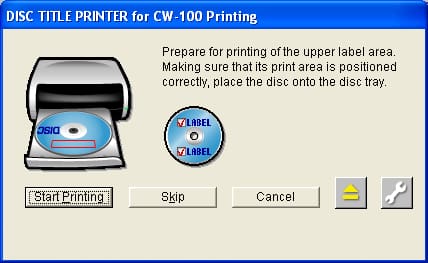
When you issue the print command, the CW-100 will eject the disc tray and prompt you to insert the disc. The program will show a dialog box similar to the below picture. This dialog box has an illustration of the printer, and a disc with pre-printed text and an rectangular outline showing you where the first print area is going to print. Be sure to pay attention to where the rectangle is, as the position could vary depending on your print layout.