


Time Adjustment
When adjusting the time, you may have to configure some setting items.
If you are having trouble setting the time, we recommend trying the watch operations described here before contacting us for repair or inquiry.
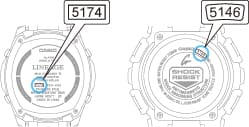
Confirm the Operating Instruction No. on the watch before use.
The Operating Instruction No. is a 4-digit (or 3-digit) number on the back of the watch (back cover). Check the numbers in the center or the square around the perimeter.
For models other than those listed above, refer to the manual.
Key Points for Time Adjustment
- Radio Controlled
- No Radio Control Function
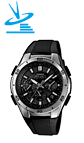
- Try the operation described in the Adjusting the Hands/Date to the Reference Position section of the manual. Depending on the manual, the description in the table of contents may appear as Correcting Hand Misalignment, Correcting Hand and Date Misalignment, etc.
- Refer to the manual and check the Home Time City and Daylight Saving Time settings. Depending on the manual, the description in the table of contents may appear as How to Set Home Time City and Daylight Saving Time and How to Adjust Home Time Data.
- If the time is still misaligned after trying the above operation, try the Manual Signal Reception operation in the manual. Depending on the manual, the description in the table of contents may appear as Receiving Radio Signals, How to Enable Radio Signal Reception, etc.
- Upon successful signal reception, the time will be corrected.
Even when Manual Signal Reception is not selected, the watch will automatically receive signals late at night, so if the watch is placed near a window with the glass side up, the signal will be received and the time will be corrected by the next morning.
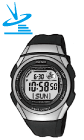
- Try the operation described in the Manual Signal Reception section of the manual. Depending on the manual, the description in the table of contents may appear as Receiving Radio Signals, etc.
Upon successful signal reception, the time will be corrected. - If the signal reception fails, please check the Home Time City and Daylight Saving Time settings in the instruction manual and try Manual Signal Reception again. Depending on the manual, the description in the table of contents may appear as How to Set Home Time City and Daylight Saving Time and How to Adjust Home Time Data.
- Even when Manual Signal Reception is not selected, the watch will automatically receive signals late at night, so if the watch is placed near a window with the glass side up, the signal will be received and the time will be corrected by the next morning.
- Try the operation described in the Manual Signal Reception section of the manual. Depending on the manual, the description in the table of contents may appear as Receiving Radio Signals, etc.
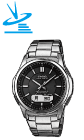
- Try the operation described in the Adjusting the Hands/Date to the Reference Position section of the manual. Depending on the manual, the description in the table of contents may appear as How to Adjust the Analog Part (Hand), Correcting Hand Misalignment, Correcting Hand and Date Misalignment, etc.
- Refer to the manual and check the Home Time City and Daylight Saving Time settings. Depending on the manual, the description in the table of contents may appear as How to Set Home Time City and Daylight Saving Time and How to Adjust Home Time Data.
- If the time is still misaligned after trying the above operation, try the Manual Signal Reception operation in the manual. Depending on the manual, the description in the table of contents may appear as Receiving Radio Signals, How to Enable Radio Signal Reception, etc.
Upon successful signal reception, the time will be corrected. - Even when Manual Signal Reception is not selected, the watch will automatically receive signals late at night, so if the watch is placed near a window with the glass side up, the signal will be received and the time will be corrected by the next morning.
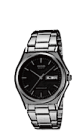
Try the operation described in the Adjusting the Time section of the manual. Depending on the manual, the description in the table of contents may appear as How to Adjust the Time and Calendar, etc.
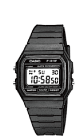
Try the operation described in the How to Adjust the Time and Date section of the manual. Depending on the manual, the description in the table of contents may appear as How to Adjust Home Time Data (Time/Calendar), Adjusting the Time, etc.
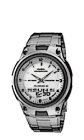
- Try the operation described in the How to Adjust the Time and Date section of the manual. Depending on the manual, the description in the table of contents may appear as How to Adjust Home Time Data (Time/Calendar), Adjusting the Time, etc.
- If the digital and analog time is out of sync after performing the above operation, try the operation in the Analog Hand Adjustment section. Depending on the manual, the description in the table of contents may appear as Hand Position Correction, etc.