HR-150RCE
Free Standard Delivery
For orders over £50
Secure Payment


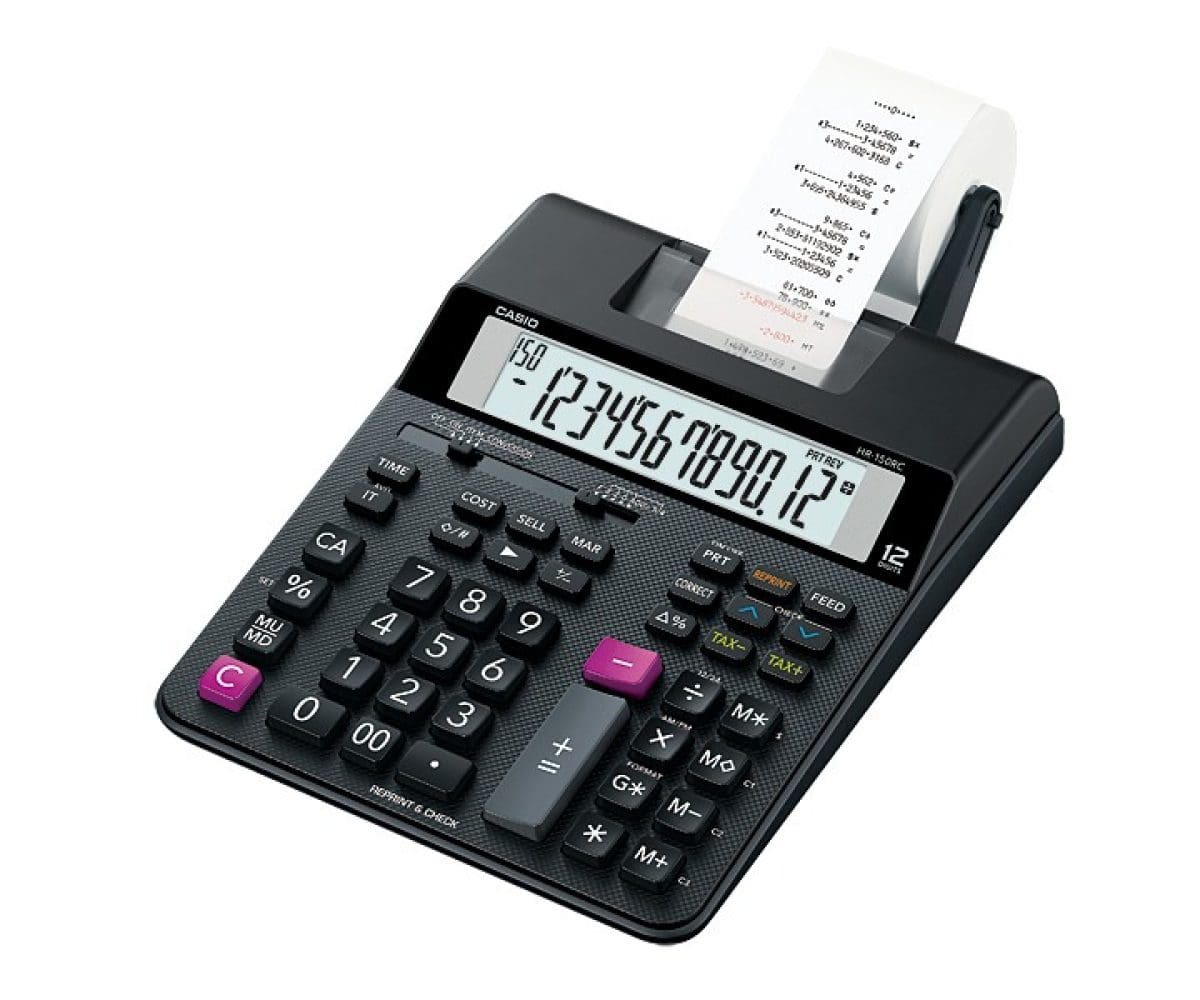
The HR-150RCE medum size Printing Calculator has a Large 12 digit display, with Currency Conversion, Tax calculations and Cost-Sell-Margin feature. It has a 2.0 lines/sec print speed. It has a Rapid Correction key, independent memory and Item Counter. It does 2 colour printing and is powered either battery or mains* so can be use everywhere. * Mains Adaptor AD-A60024SEP2OP1UH sold separately Functions Euro Conversion (3 Rates) Profit Calculation (Cost, Sell, Margin) Tax Calculation Re-Print-Function (Option to print a calculation (max. 150 operation steps) as often as desired) Check & Correct Function (Recall and Correct option for the last 150 operations) After-Print-Function (Option to print a calculation after all operations (max. 150 operation steps) are entered) Percentage-/Deltapercentage Calculation Item Counter Mark Up / Mark Down Average Calculations Backspace Key Decimal Selector (0, 2, 3, ADD2) 3-Digit Comma Markers Double-Zero Key 4-Key Memory GT Memory Rounding Selector F, 5/4 Clock / Time stamp Key for changing Plus/Minus Sign General Data 12-Digits LC-Display Dimensions (H x W x L): 6,5 x 16,5 x 29,5 cm (incl. Roll Arms) 5,8 x 16,5 x 24,2 cm (excl. Roll Arms) Paper Size: 58 mm (Outer Roll “Roll 57mm”) Printing Speed: 2,0 Lines/Sec. 2 Colour-Print (IR-40T) Power Source: Batteries (4 x AA) Memory Back-up Battery (1 x CR-2032) AC Adaptor optional (AD-A 60024)
Next-Generation HR Printing Calculators

New Calculator Features
Reprint

Print multiple copies of the calculation history without re-inputting data.

<Save time!>
After Print

Since it is possible to print later even in print off mode, misprints can be decreased.
<Save money!>
Check

View calculation history on the display without printing.
<Save money!>
Clock / Calendar

Can print the time and date
*HR-100 and HR-150 only

<Easy to use>
New Calculator Design Highlights

- Textured finish

- Case shape that enhances the appearance of durability
Usage Examples
Office

Check After Print
Review the calculation history before printing to decrease misprints.
<Save money!>
Shop

Reprint
Print a customer copy and shop copy of the same history without re-inputting data.
<Save time!>
Useful Functions

- Cost / Sell / Margin Calculations
- Clock / Calendar Function
You can press TIME key to display current time and date. - Item Counter & Averages
- Mark Up / Mark Down
- Total & Grand Total Calculation
- Reprint Function
You can press REPRINT key to reprint operation and calculation results. - Check & Correct
Use the ᐱ and ᐯ keys to scroll through up to 150 steps of past calculations. - Tax Calculations
- 4-Key Independent Memory & Exchange Calculation
Printing Samples
Exchange Calculation

Tax Calculations

COST, SELLING PRICE AND MARGIN
Easy calculation of cost, selling price and margin


PRINTING EXAMPLE
Check & Correct

