












Skip to content
Information
Service
Souvenirs and Premium Products
Apps
Support
Corporate
Corporate TOP
About CASIO
News
Investor Relations
Sustainability
Watches
Electronic Musical Instruments
Calculators
Label Printers
NEWS
Watches
Watches Home
All Watches & New Arrivals
All Watches
New Arrivals
Men
Men
Men
G-SHOCK
EDIFICE
PRO TREK
VINTAGE
CASIO
Women
Women
Women
G-SHOCK for women
BABY-G
VINTAGE
CASIO
Pair
Pair
Pair
Pair Design Model
Brand
Brand
Brand
G-SHOCK
G-SHOCK for women
BABY-G
EDIFICE
PRO TREK
VINTAGE
CASIO
Clock
Function
Function
Function
Solar charger
Standard radio reception
Water resistance for ISO 200m submersion
Water resistance up to 20 bar
Water resistance up to 10 bar
Water resistance up to 5 bar
Day-to-day water resistance
Smartphone Link feature
Display Type
Display Type
Display Type
Digital
Analog
Digital and analog
Others
Others
Others
G-SHOCK Brand Site
CASIO Watches History
Find a Store
Technology
Sustainability
CASIO WATCHES APP
Electronic Musical Instruments
All Electronic Musical Instruments
Brand and Accessories
All Electronic Musical Instruments
CELVIANO Grand Hybrid
CELVIANO
Privia
CDP
Casiotone
Mini Keyboards
CT-X
Others
Accessories
Apps
Apps
Apps
CASIO MUSIC SPACE
Lyric Criator
Others
Others
Others
CASIO MUSIC WORLD
Catalog
Electronic Musical Instruments AR
Old Models
Calculators
Scientific Calculators
All Scientific Calculators
Graphing Calculators
Standard Scientific Calculators
Programmable Calculators
CAS Graphing Calculators
Financial Calculators
Basic Calculators
Basic Calculators
Basic Calculators
All Basic Calculators
Practical Calculators
Ergonomic Calculators
Check Calculators
Design Calculators
Water-Protected & Dust-Proof Calculators
Printer Calculators
Others
Others
Others
Find a Store
Catalog (Scientific Calculators)
Catalog (Basic Calculators)
For Teachers
Label Printers
Label Printers
Label Printers
All Label Printers
Label It!
Label it Tapes and Options
Labemo Tapes
Store Locator
NEWS
Information
Service
Souvenirs and Premium Products
Apps
Support
Corporate
Corporate TOP
About CASIO
News
Investor Relations
Sustainability
My Account
Sign Out
Search
Personal Menu
Sign In
Personal Menu
My Account
Sign Out
Added to Favorites
FAQ | Electronic Musical Instruments
Features and usage
Battery and power supply
< PX-S6000/PX-S7000 >About Auto Power Off Function
< PX-S6000 > Serial Number Time until the Auto Power Off function automatically turns off the product 953******0******A* 953******0******B* Approx. 4 hours (using AC adaptor) Approx. 6 minutes (using battery) 953******0******C* Approx. 20 minutes (using AC adaptor) Approx. 6 minutes (using battery) < PX-S7000 > Serial Number Time until the Auto Power Off function automatically turns off the product 954******0******A* 954******0******B* Approx. 4 hours (using AC adaptor) Approx. 6 minutes (using battery) 954******0******C* Approx. 20 minutes (using AC adaptor) Approx. 6 minutes (using battery) How to Check the Serial Number
Are there any cautions when I turn off my keyboard?
There is a possibility that the tone data of your keyboard is damaged if you turn off your keyboard while rhythm or song is running. This is because a power off procedure of software is processed abnormally in seldom cases. So, when you turn off your keyboard, please follow the procedure below. 1. Stop rhythm or song by pushing the “START/STOP” button on your keyboard. 2. Turn off your keyboard by pushing the power button on your keyboard.
Can I take batteries out while my keyboard is ON state?
No. Before you take out batteries, turn off your keyboard with the power button on the keyboard. There is a case of destroying the tone data of your keyboard if you take out batteries without turning off your keyboard. When you take out batteries from your keyboard, please follow the procedure below. 1. Stop rhythm or song by pushing the “START/STOP” button on your keyboard. 2. Turn off your keyboard by pushing the power button on your keyboard. 3. Be sure all the LEDs and displays are off. 4. Then you can take batteries out from your keyboard.
Is it OK if I shut off a power source for my keyboard by pulling off an AC adapter or operating a power tap to shut off the power instead of pushing the power button on the keyboard?
No. Please be sure to turn off your keyboard with the power button on your keyboard. If you shut off the power source for your keyboard by pulling off an AC adapter or operating the power tap to shut off the power, there is a case of destroying the tone data of your keyboard because of skipping power off sequence of software. When you pull off an AC adapter or shut off the power source of your keyboard with a power tap, please follow the procedure below. 1. Stop rhythm or song by pushing the “START/STOP” button on your keyboard. 2. Turn off your keyboard by pushing the power button on your keyboard. 3. Be sure all the LEDs and displays are off. 4. Then you can disconnect the AC adapter or operate the power tap to shut off the power.
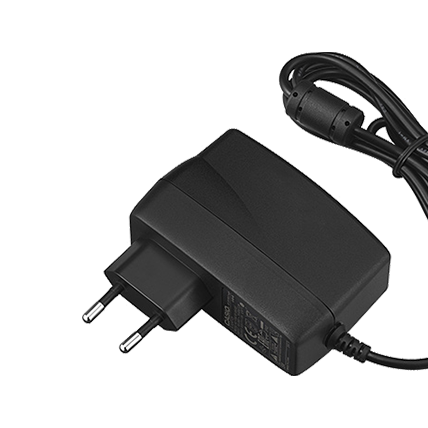
Can I use an AC adaptor of Casio products other than the musical instrument, or another company's AC adaptor?
Never use an AC adaptor other than the one specified, as it may cause fire, smoke, malfunction, or electric shock.
Back
Select a location
View all available locations
閉じる